
LearnDash includes a reports feature. It will give you additional insight into your courses, including completion metrics and the latest learner activity. You can view data for a specific course, user, or group using filters.
NOTE: LearnDash uses a system-level setting to determine if “Gained Course Access” activity, such as course or group enrollment, should be included in your reports and widgets. By default, this activity is not included in the reports. This setting is not currently user-configurable, but can be enabled by a developer.
Dashboard & Widget Overview #
There are five reporting widgets available under LearnDash LMS > Reports. By default, Reports will only be visible to Admins and Group Leaders.
- Admins will see all data
- Group Leaders will only see data relating to the groups that they manage
Reports Overview Widget #
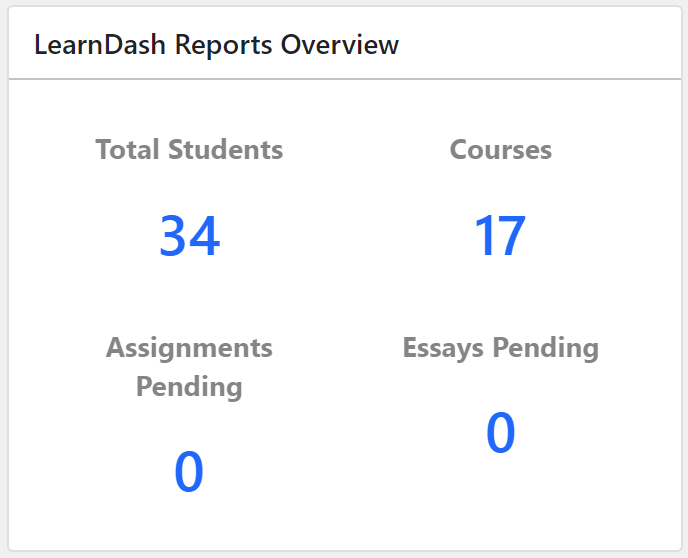
Displays the number of students, courses, pending assignments, and pending essays (to be approved by admin or group leader). Each item is a clickable link that will let you view the selected section with more details.
Activity Widget #
This widget displays real-time activity in your courses. Supported activities include course access gained as well as course, lesson, topic, and quiz completion. Associated data, such as timestamps, scores, and steps, will be displayed when applicable.
NOTE: This widget will always display the “Gained Course Access” activity by passing query parameter to ensure accurate tracking.
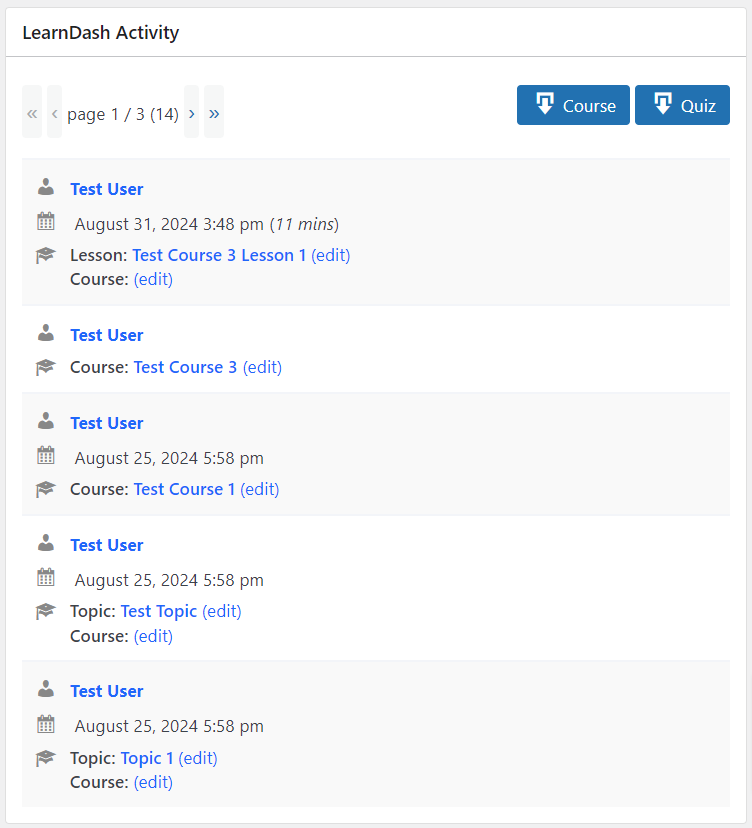
You can export Course and Quiz reports via the buttons at the top of the widget. These reports will include only currently filtered data. Admins will be able to view all user activity, while Group Leaders can only view activity from users in their group(s).
The number of items shown per page depends on the pagination in the LearnDash Report Filters widget.
Report Filters Widget #
The Report Filters Widget lets you filter by course, user, or group. You can use any combination of these filters to narrow down your results. Some examples of filters include:
User Filter: Select a user Select a progress status
Generate a list of enrolled courses for a specific user and progress statistics for those courses.
Course Filter: Select a course Select a progress status
Generate a list of users enrolled in the selected course and progress statistics for each user.
Group Filter: Select a group Select a progress status
Generate a list of users in the selected group and progress statistics for each user.
Date Filter: Select a group, course, or user Select progress status Filter by Date
Filter the list of users further based on the selected group, course, or users. Leaving this empty will disregard the filter.
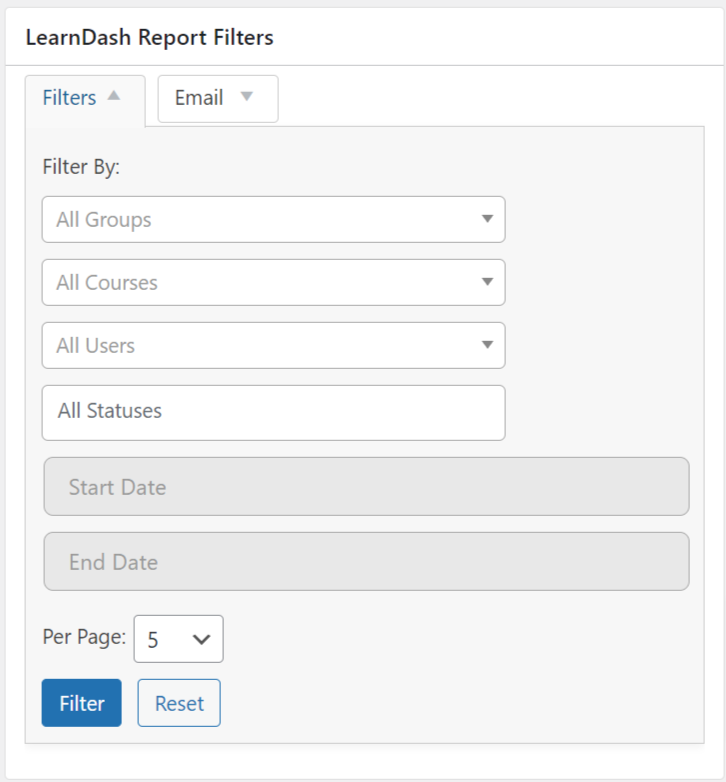
NOTE: When users filter by All Groups -> All Courses -> All Statuses, it will show all the activities for learners on all their lessons and courses. For instance, if a learner is listed 29 times, that is the total number of lessons they have in the classes that they are enrolled in.
Additional Options #
- Email lets you communicate with the users selected in the Filters section. Note that the emails will be sent using the default site administration email and site title. However, you can set Email Sender Settings under LearnDash LMS > Settings > Emails.
- Pagination will control the output of both lists in the Reporting widget and the Activity widget.
- Full Page will take you to a full-page view of the Reporting widget for a distraction-free and full-width environment.
Progress Chart Widget #
Set the LearnDash Report Filters Widget to filter by group, course, or user, and two charts will appear.
On the left is the overall Progress Distribution chart, which shows the user or course distribution between Not started, In Progress, and Completed course statuses.
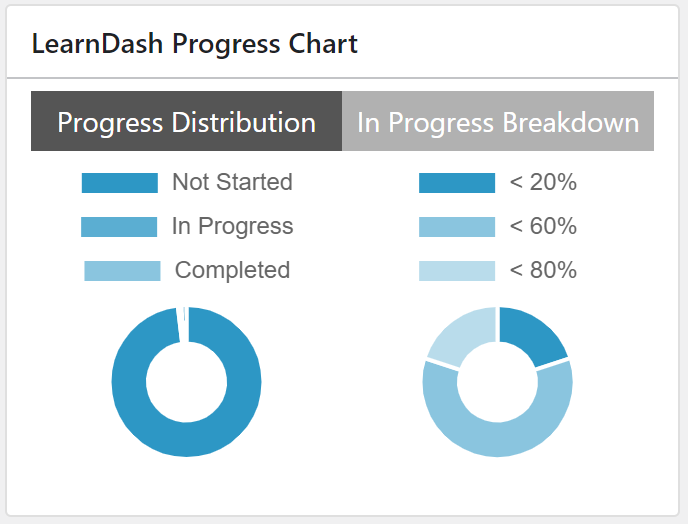
On the right is a breakdown of all users or courses that are In Progress in the selected filter (In Progress Breakdown). Use the default setting to display the in-progress distribution in 20% increments; 20, 40, 60, 80, and 100. You can change these increments and other items using the filters discussed in the Developer section posted later in this document.
Reporting Widget #
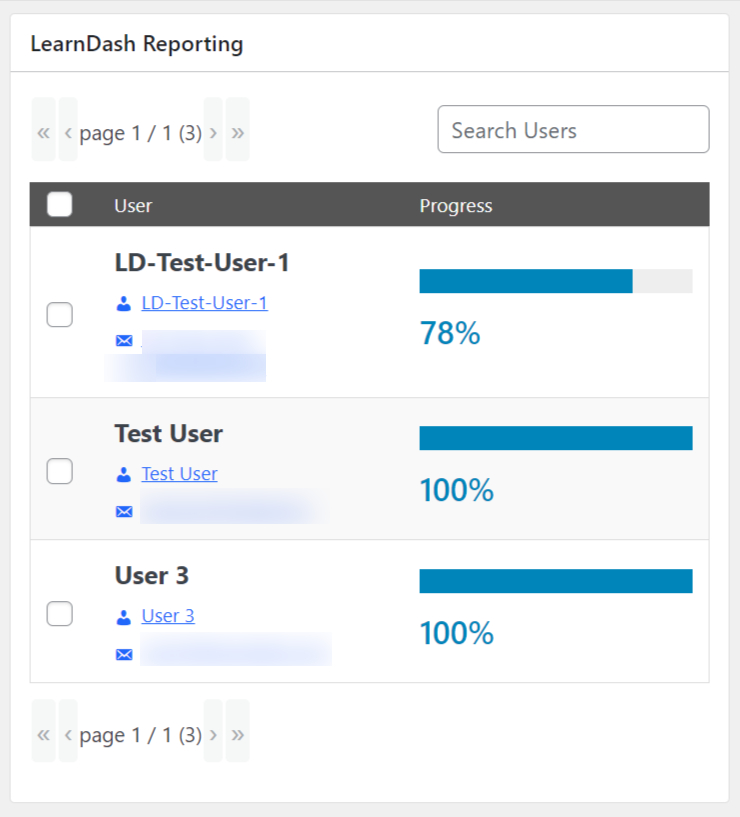
The Reporting Widget displays the status of the users course progress against the filtered course in the progress bar and percentage number. If you hover over the progress bar, it will display the number of completed steps.
You can use the Report Filters widget to filter reports by course, user, group, or completion status and the Reporting widget will display reports accordingly.
NOTE: Users who have gained course access through a Group will not be listed while their status is “Not Started” by default. This behavior can be changed with custom development. If you need this, check out our LearnDash Experts page.
Front-end Display of Reports #
When displaying LearnDash reports on the front-end of your website, you have three options: Blocks, Shortcodes, and Templates, each offering unique benefits depending on your needs.
If you prefer a visual, drag-and-drop approach, using Blocks in the WordPress block editor is an excellent choice. It allows for easy customization, making it ideal for those who want to create dynamic pages without any coding knowledge.
Shortcodes provide a more flexible solution for users who are comfortable with a bit of code. Shortcodes can be inserted into any page, post, or widget, giving you the freedom to place reports exactly where and how you want them.
If you are looking for complete control over layout and design, Templates enable users to customize the display and integrate reports directly into the site’s theme.
Each method provides a different level of customization, allowing you to present your LearnDash reports in a way that best suits your site’s design and functionality.
Blocks #
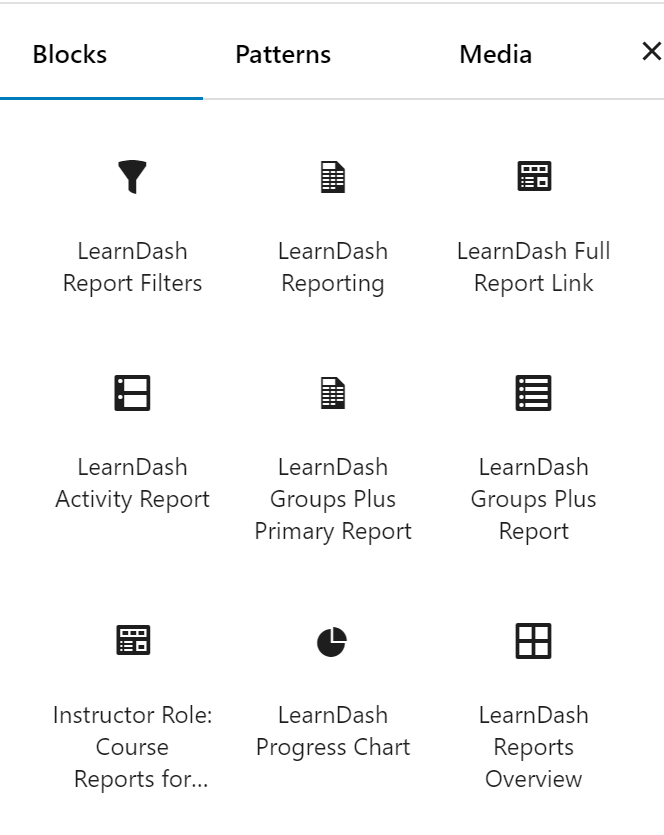
Create custom report templates with LearnDash Reporting blocks by placing them anywhere within the main content of a page or post.
NOTE: This is for the WordPress Gutenberg block editor only and requires LearnDash v4.8.0 or higher to be installed.
To learn more about the block editor, click here
Follow these steps to add LearnDash Reporting Blocks to your pages or posts.
- Create/edit a page/post
- Click the + icon to add a new block
- Search for LearnDash Report & click on the block you want to insert
- Adjust your settings in the Block options panel
The following blocks are available for your use:
- LearnDash Report Filters
- LearnDash Reports Overview
- LearnDash Progress Chart
- LearnDash Activity Report
- LearnDash Reporting
- LearnDash Full Report Link
Once you have finished adding the blocks you need, select Publish.
Additional Reporting #
Additional reporting metrics are available using the following tools:
For Developers #
If you are customizing LearnDash reporting functionality, ensure that your query logic aligns with this system setting to maintain reporting consistency.
For additional support, refer to the LearnDash Developer Documentation on activity queries.
$activities_with_access_records_even_if_started_or_complete = learndash_reports_get_activity(
	[
		/**
		 * "access" activity only relates to "course" activity, so `always_include_access_results`
		 * will only work for "course" activity.
		 *
		 * Other activity types can be included here, but at least one must be `course`.
		 *
		 * Additionally, `activity_status` must either be the default (empty) or include `NOT_STARTED`.
		 */
		'activity_type'                 => [ 'course' ],
		'always_include_access_results' => true,
	]
);